

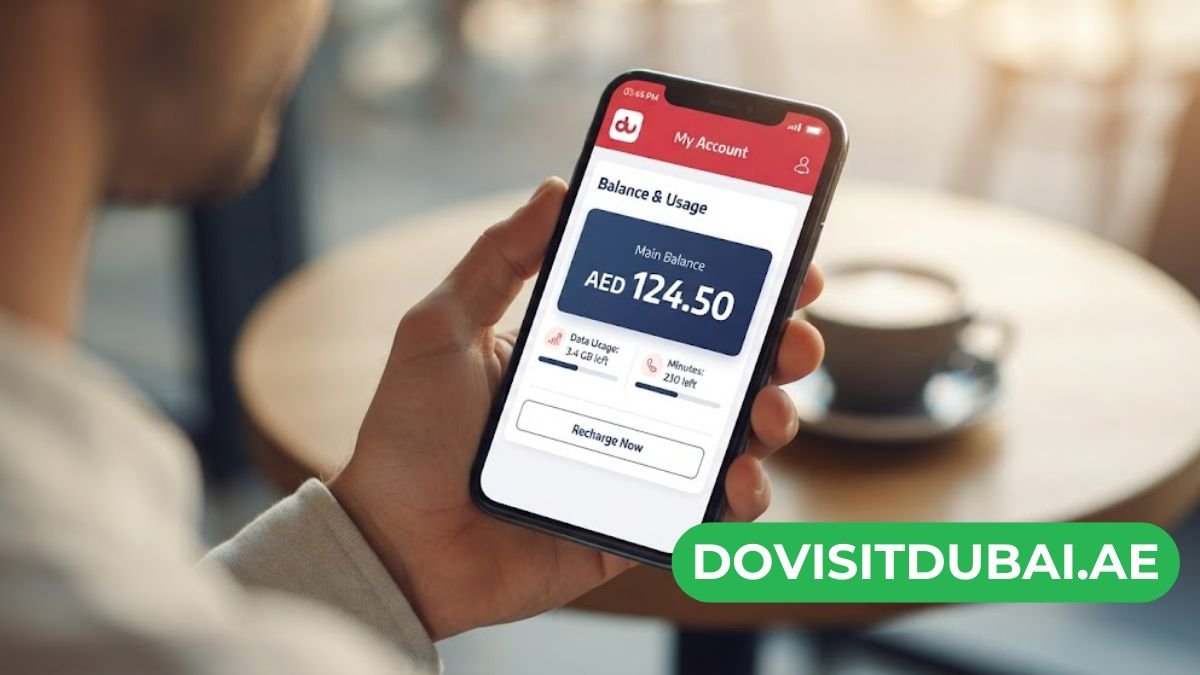
Running out of credit at the wrong moment is frustrating. That’s why a fast DU SIM balance check should be part of your daily routine.
Whether you’re a resident, a tourist, or a new prepaid customer in the UAE, knowing your balance helps you avoid dropped calls and sudden data cuts. This guide covers every method available in 2026, including USSD codes, SMS shortcuts, and app-based options.
We’ll also explain what to do if a code doesn’t work, and how to keep your prepaid line topped up without stress.
Why You Should Regularly Check Your DU SIM Balance
Many prepaid users only check their balance after their internet stops working. This reactive approach often leads to missed calls, failed transactions, or interrupted browsing sessions.
Regular monitoring gives you better control over your spending. It also helps you plan recharges in advance instead of scrambling for credit at the last minute.
Here are the key benefits of checking your balance often:
- Avoid service interruptions during important calls or browsing sessions
- Track data consumption so you don’t exceed your bundle limits
- Plan recharges ahead of time, especially before travel or holidays
- Detect unauthorized charges from subscriptions or third-party services
- Manage your budget more effectively as a prepaid customer
How to Check DU SIM Balance Check Code (USSD Method)
The fastest and most reliable way to perform a DU SIM balance check is through USSD codes. This method works instantly without needing internet access or an app.
Main DU Balance Check Code
Simply dial *135# from your DU prepaid SIM and press the call button. Within seconds, a pop-up message will display your remaining credit balance.
This code works on almost every mobile device, including basic phones without internet access. It is completely free of charge and can be used unlimited times per day.
Step-by-Step Instructions
Follow these simple steps for an accurate du sim balance check code:
- Open your phone’s dialer app
- Type *135# exactly as shown
- Press the green call button
- Wait a few seconds for the USSD pop-up
- Select Option 1 for Account Information (if prompted)
- Choose Balance Inquiry to view your remaining credit
Additional Useful USSD Codes
Beyond the main balance code, DU offers several other shortcuts for prepaid users:
- *135# – Check main account credit balance
- *102# – Check remaining internet data balance
- *116# – Display your own DU mobile number
- *055# – View available internet bundle offers
These codes are extremely useful if you frequently switch SIMs or forget your own number.
How to Check Balance in DU SIM Using SMS
If USSD isn’t working on your device, SMS is a reliable backup method. This is especially helpful in areas with weak network signal.
To check your balance via text message, follow these steps:
- Open your phone’s messaging app
- Type the word “BAL” or “Balance”
- Send the message to 1355
- Wait for DU’s automated reply with your balance details
This method typically works even when USSD services are temporarily down. It’s a great alternative during network congestion or system maintenance windows.
How to Check DU Balance Using the DU App
For a more visual and detailed breakdown, the official DU mobile app is an excellent option. It shows your credit, data, minutes, and SMS balance all in one dashboard.
Setting Up the DU App
Getting started only takes a few minutes:
- Download the DU app from the App Store or Google Play Store
- Register your prepaid number to create an account
- Verify your identity using the OTP sent via SMS
- Log in to access your personalized dashboard
Checking Your Balance in the App
Once logged in, checking your DU SIM balance is straightforward:
- Open the app and go to the home screen
- Tap on “Balance and Recharge”
- View your remaining credit and data under the “Balance” section
- Tap “Data Usage” for a detailed usage breakdown
The app also lets you recharge instantly using a credit card or debit card. This eliminates the need to visit a physical top-up store.
How to Check DU Balance Online
DU also provides an official web portal for account management. This is a good option if you prefer using a computer instead of your phone.
To check your balance online, follow these steps:
- Visit the official DU website
- Click the “Login” button in the top right corner
- Select your account type: Consumer or Business
- Enter your registered email and password
- Navigate to the “My Account” or “Balance” section
This method is particularly useful for tracking billing history and detailed usage reports over time.
Troubleshooting Common DU Balance Check Issues
Sometimes the DU SIM balance check process doesn’t go as smoothly as expected. Here are common problems and how to fix them.
USSD Code Not Responding
If *135# isn’t working, try these quick fixes:
- Ensure you have at least 2 bars of network signal
- Confirm you’re dialing from your DU SIM, especially on dual-SIM phones
- Toggle Airplane Mode on and off to refresh your connection
- Restart your device if the issue persists
SIM Card Suspended or Expired
In the UAE, prepaid SIMs that go unused for over 90 days may become suspended. If your SIM shows no signal at all, you may need to visit a DU service center to reactivate it.
App Login Problems
If you can’t access the DU app, try these solutions:
- Update the app to its latest version
- Clear the app’s cache and restart your phone
- Confirm you can receive the OTP verification SMS
- Reset your password if login credentials aren’t working
Tips to Manage Your DU Balance Efficiently
Beyond just checking your balance, smart management habits can help your credit last longer. Consider these practical tips:
- Set data usage alerts on your smartphone to avoid unexpected overages
- Use Wi-Fi whenever possible for streaming or large downloads
- Restrict background data for apps you don’t use often
- Review auto-renewal subscriptions that may silently drain your balance
- Recharge in advance before traveling to avoid roaming surprises
Following these habits ensures you get maximum value from every recharge. It also reduces the chances of running out of credit unexpectedly.
Conclusion
Performing a DU SIM balance check doesn’t have to be complicated. Whether you prefer USSD codes like *135#, a quick SMS to 1355, the DU mobile app, or the online portal, you have multiple reliable options.
Regularly checking your balance helps you stay connected without interruptions. It also gives you better control over your spending as a prepaid customer in the UAE.
Bookmark this guide so you always have the correct codes on hand. With these methods, you’ll never be caught off guard by a sudden balance drop again.

1 Comment
Pingback: 7000 AED to USD Today: Latest Exchange Rate & Conversion Guide (2026) - dovisitdubai